What Is Trex IPTV? A Complete Overview
Trex IPTV is an internet-based television streaming service that delivers live TV channels, on-demand movies, and series over an IP network — bypassing traditional cable or satellite infrastructure entirely. Unlike broadcaster-owned streaming platforms (Netflix, Crave, Disney+), Trex IPTV aggregates content from a wide range of international channels and sells subscriptions through a network of authorized resellers.
The service distinguishes itself by offering a proprietary application — the Trex IPTV app, commonly referred to as the Trex IPTV APK — which is designed to work seamlessly with the Trex server infrastructure. This gives it a more unified experience than generic IPTV players like TiviMate or IPTV Smarters Pro, which require users to self-configure their server connections.
On paper, Trex IPTV markets an impressive feature set: access to tens of thousands of live channels across dozens of countries, 4K and 8K stream availability, full EPG (Electronic Program Guide) support, multi-device compatibility, and VOD libraries. The service targets an international audience, with content spanning English, French, Spanish, Arabic, and other languages.
For Canadian subscribers, the key question is whether Trex IPTV's channel stack actually delivers on its promises when it comes to the channels that matter most in Canada: CBC, CTV, Global, City TV, TSN 1–5, Sportsnet (all regional variants), TVA, RDS, TVA Sports, Télé-Québec, and ICI Radio-Canada. That's the core test we'll apply throughout this review.
Trex IPTV: Key Facts at a Glance
Service Type
Third-party IPTV subscription — live TV, VOD, series, and PPV via internet
Trex IPTV App
Proprietary APK for Android, Firestick, Smart TV. Not on Google Play or App Store
Video Quality
SD, HD, FHD, 4K, and select 8K streams depending on subscription tier
EPG Support
Electronic Program Guide included — varies by tier and server region
Channel Count
20,000–40,000+ channels claimed; international focus
Pricing
Approximately $10–$20 USD/month through authorized resellers
Trex IPTV has been operating in the IPTV market for several years. Its longevity is one reason it has accumulated a significant search volume — users actively search for "trex iptv," "iptv trex," and "trex app iptv," suggesting an established user base curious about its current status, quality, and availability.
The service uses an Xtream Codes-compatible panel, which means the Trex IPTV APK communicates with a central server via a host URL, username, and password. This architecture is standard across the IPTV industry and makes Trex IPTV compatible with third-party players as well — though the branded Trex IPTV player is the recommended option for subscribers.
Trex IPTV APK Download — Full Guide for Android & Firestick
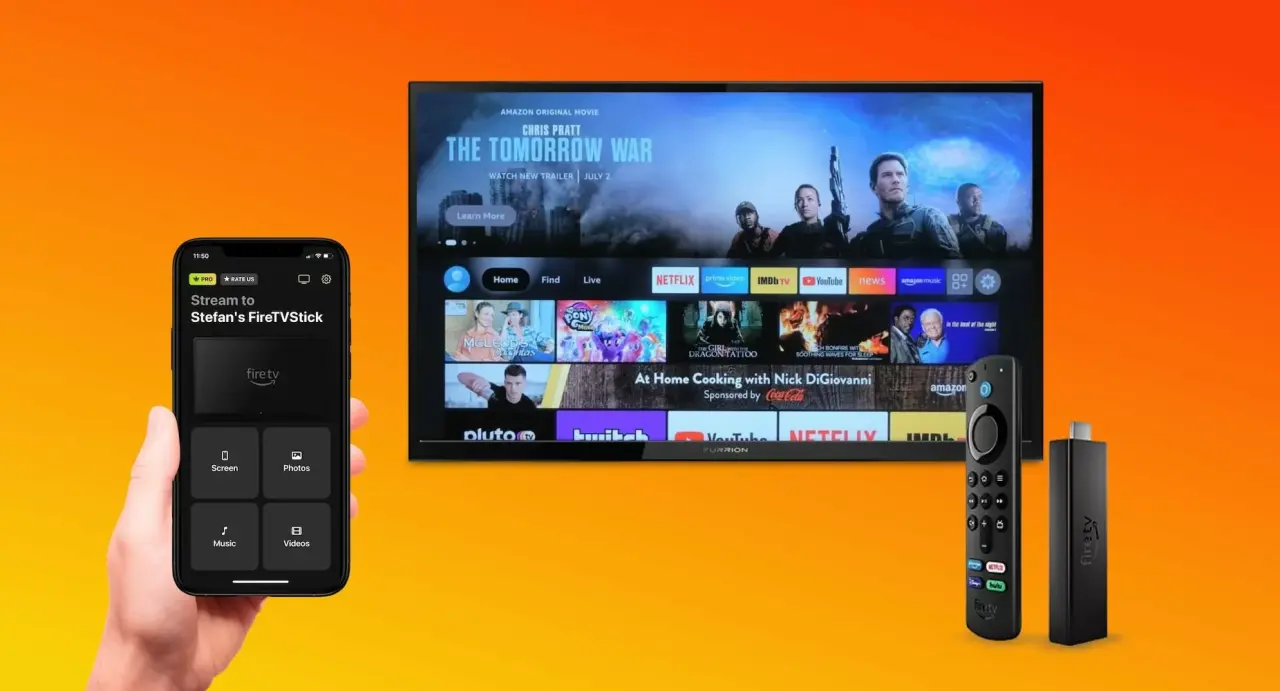
The Trex IPTV APK is the official application for the Trex IPTV service. Because it aggregates content outside the standard licensing framework, the Trex IPTV app is not available on the Google Play Store or the Amazon App Store. It must be downloaded directly from the Trex IPTV website or via an authorized reseller link and installed through a process called sideloading.
Understanding how to properly download and install the Trex IPTV APK is essential — an incorrectly downloaded APK file can expose your device to security risks, or simply result in an app that doesn't connect to the Trex servers. Always use the official APK link provided by your subscription seller.
Trex IPTV APK Download on Android
Android devices are the most flexible platform for IPTV because they natively support sideloading APK files. Here's how to download and install the Trex IPTV APK on an Android phone, tablet, or Android TV box:
- Enable Unknown Sources: Go to Settings → Security (or Privacy on newer Android versions) → Enable "Install unknown apps" for your browser or file manager app.
- Download the APK: Open your browser and navigate to the official Trex IPTV APK download URL provided by your reseller. Tap Download and wait for the file to save (typically 30–50 MB).
- Locate the file: Open your device's file manager and navigate to the Downloads folder. You should see the Trex IPTV APK file.
- Install the APK: Tap the file, then tap Install on the Android installation prompt. If prompted about Play Protect, tap "Install anyway."
- Launch and configure: Open the Trex IPTV app and enter your subscription credentials — typically a server URL, username, and password provided at purchase. Tap Login and wait for the channel list to load.
Security Note on Trex IPTV APK Downloads
Only download the Trex IPTV APK from your subscription provider's official link. Unofficial APK repositories may distribute modified versions of the Trex IPTV app containing malware or adware. Always verify the APK file size and version number matches what your reseller specifies before installing.
Trex IPTV APK for Firestick — Step-by-Step
Amazon Firestick is one of the most popular devices for IPTV streaming, and the Trex IPTV APK for Firestick requires a slightly different installation process than standard Android because the Firestick runs Fire OS, Amazon's customized Android fork. The process involves using the Downloader app as an intermediary.
- Enable ADB Debugging & Unknown Apps: On your Firestick, go to Settings → My Fire TV → Developer Options. Toggle on "ADB Debugging" and "Apps from Unknown Sources." On newer Fire OS versions, you'll need to enable unknown sources for the Downloader app specifically.
- Install the Downloader app: From the Firestick home screen, go to the Search icon and type "Downloader." Install the free Downloader app by AFTVnews — it's available in the Amazon App Store.
- Enter the Trex IPTV APK URL: Open Downloader. In the URL field, type or paste the direct download link for the Trex IPTV APK for Firestick. Tap Go.
- Download the APK: Downloader will begin downloading the Trex IPTV APK file. This usually takes 1–3 minutes depending on your internet speed.
- Install: When the download completes, Downloader will automatically prompt you to install the APK. Tap Install, wait for installation to complete, then tap Open.
- Enter credentials: Input your Trex IPTV server URL, username, and password. Tap Login. Your full channel list will populate within 30–60 seconds.
- Optional — delete the APK file: Downloader will offer to delete the APK installation file. Tap Delete to free up storage space on your Firestick.
Other Compatible Devices for the Trex IPTV App
Beyond Android and Firestick, the Trex IPTV app (APK) is compatible with a range of devices through various installation methods:
- Nvidia Shield TV: Sideload the Trex IPTV APK using the same Android method — Shield runs full Android TV and handles APK sideloading natively.
- Smart TVs (Samsung, LG, Android TV): Samsung (Tizen) and LG (webOS) do not support APK sideloading. For these TVs, users typically connect Trex IPTV via a Firestick or Android TV box attached via HDMI.
- Formuler Z8 / BuzzTV: These Android-based IPTV boxes support APK sideloading directly, making Trex IPTV APK installation straightforward.
- Apple iOS / iPadOS: There is no official Trex IPTV app for iPhone or iPad. iOS does not support APK files. Users can load Trex IPTV M3U playlists into third-party IPTV apps like GSE Smart IPTV or IPTV Smarters on iOS.
- Windows PC / Mac: Trex IPTV streams can be accessed via third-party players like VLC or IPTV Smarters (Windows version) using the M3U URL from your Trex IPTV subscription.
Trex IPTV Player — Setup, Features & Alternatives
The Trex IPTV player is the native application built specifically to interface with Trex IPTV servers. It is designed to provide a unified streaming interface — combining live channels, the EPG guide, VOD catalogue, and subscription management in a single app. Understanding its features — and its limitations — is important before committing to a Trex IPTV subscription.
Trex IPTV Player Interface & Features
The Trex IPTV player presents channels in a grid or list view, sortable by category (Sports, News, Entertainment, Movies, etc.) or country. The main interface includes:
- Live TV section: All subscribed channels with real-time stream status indicators
- EPG overlay: Program guide accessible with a single keypress while watching live TV
- VOD library: Movies and series organized by genre, year, and language
- Catch-up TV: Available on select channels — rewind up to 7 days on supported streams
- Favorites: Pin frequently watched channels for quick access
- Multi-screen: Some tiers support simultaneous streams on multiple devices
- Video quality selector: Toggle between SD, HD, FHD, 4K, and 8K on supported channels
Setting Up the Trex IPTV Player
After installing the Trex IPTV app (APK), initial setup involves entering your subscription credentials. Trex IPTV uses the Xtream Codes protocol, which means you'll need three pieces of information from your subscription provider:
- Server URL — typically formatted as
http://[server-address]:[port] - Username — your unique account identifier
- Password — your account password
Enter these in the Trex IPTV login screen, tap Connect, and the app will authenticate with the server and begin loading your channel list. Initial load can take 30–120 seconds depending on the size of the channel library.
Using Trex IPTV with Third-Party Players
If the native Trex IPTV player doesn't suit your preferences, the service is technically compatible with third-party IPTV players via M3U playlist or Xtream Codes API. Popular alternatives include:
TiviMate
Best Firestick/Android TV player. Supports EPG, multi-screen, catch-up. Premium plan required for advanced features.
IPTV Smarters Pro
Most beginner-friendly. Free version available. Works on Android, iOS, and Windows. Simple M3U or Xtream login.
GSE Smart IPTV
Best for iOS users. Supports M3U playlists, EPG, and customizable interface. One-time purchase on App Store.
VLC Media Player
Free and open-source. Excellent for M3U stream testing. Limited EPG support but reliable for basic playback.

Trex 4K IPTV & Trex 8K IPTV — Honest Quality Assessment
Trex 4K IPTV is one of the service's primary selling points. The ability to stream live television in 4K Ultra HD — particularly sports events and premium movie channels — is a major driver of IPTV adoption. Trex IPTV claims to offer both 4K and 8K streams, making it one of the higher-resolution offerings in the IPTV market.
However, there's a significant gap between claiming 4K/8K and consistently delivering it. Let's break down what Trex 4K IPTV actually provides.
What Trex IPTV Calls "4K" — The Reality
True 4K streaming (3840×2160 resolution) requires a minimum of 25 Mbps per stream and, more critically, requires the source broadcast to actually be in 4K. Many IPTV services — including Trex — label streams as "4K" when they are in fact upscaled 1080p content or simply re-encoded at a higher bitrate. Genuine 4K content is limited to sports broadcasters (TSN, ESPN) and premium channels that produce native 4K master files.
| Stream Label | Actual Resolution | Required Speed | Genuine 4K? |
|---|---|---|---|
| SD | 480p (720×480) | 3–5 Mbps | No |
| HD | 720p (1280×720) | 5–10 Mbps | No |
| FHD | 1080p (1920×1080) | 10–15 Mbps | No |
| 4K (Trex label) | 2160p or upscaled 1080p | 25–50 Mbps | Partial |
| 8K (Trex label) | Often 4K re-encoded | 80–100 Mbps | Rarely |
Trex 8K IPTV — Is It Real?
Trex 8K IPTV is the most ambitious quality tier offered. True 8K resolution (7680×4320) requires enormous bandwidth — typically 80–100 Mbps per stream — and, more importantly, requires 8K source content. As of 2026, commercially available 8K broadcast content is extremely limited. Only a handful of Japanese NHK World broadcasts and some specific Samsung 8K demo content exist in genuine 8K.
What Trex IPTV and similar services typically label as "8K" are streams with very high bitrates applied to 4K (or sometimes 1080p) source material. The stream is re-encoded at a higher data rate, which can improve perceived clarity on very large screens, but it is not genuine 8K content as defined by the 7680×4320 standard.
The practical implication: the "8K" label on Trex IPTV should be understood as "very high bitrate 4K" in almost all cases. For most viewers on screens up to 85 inches, this is indistinguishable from genuine 8K. However, the bandwidth requirement (80–100 Mbps) is real — only users with high-speed fiber internet connections should expect reliable playback of Trex 8K IPTV streams.
Internet Speed Requirements for Trex IPTV
To get the most out of Trex IPTV's quality tiers, here are the minimum stable speeds you'll need per stream:
HD Streaming
Minimum 10 Mbps stable. Most Canadian cable and DSL connections handle this comfortably.
FHD / 1080p
Minimum 15–20 Mbps stable. Required for smooth 1080p sports without buffering during action scenes.
4K Streaming
Minimum 25–50 Mbps stable per stream. Fiber internet or cable 100+ Mbps plans recommended.
8K / Ultra HD
Minimum 80–100 Mbps stable. Requires fiber gigabit or very high-speed cable connection.
Trex IPTV EPG — Electronic Program Guide Setup & Configuration
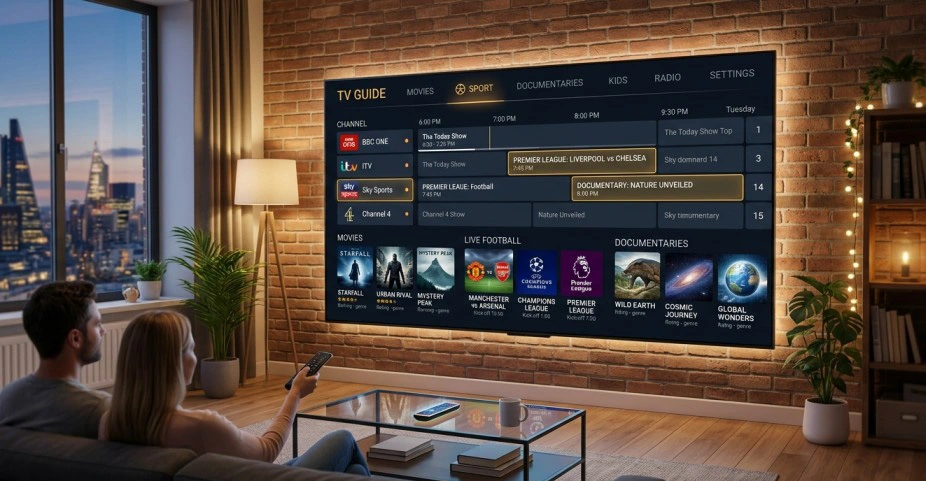
The Trex IPTV EPG (Electronic Program Guide) is one of the features that elevates the service above basic channel-list IPTV players. An EPG displays what's currently on — and what's coming up — for each channel, functioning similarly to the program guide on a cable or satellite receiver. Without EPG, you'd need to navigate to each channel manually to find out what's showing.
The Trex IPTV EPG is delivered via an XML-based data feed linked to your subscription. When properly configured, it displays a multi-day program schedule across all your subscribed channels, allowing you to browse upcoming content, set reminders (on supported players), and easily navigate to a show you want to watch.
How to Configure Trex IPTV EPG
EPG setup in the Trex IPTV app is handled through the settings menu. Here's the standard configuration process:
- Access Settings: In the Trex IPTV player, tap the settings/gear icon in the main menu.
- Find EPG Settings: Look for "EPG," "Program Guide," or "XML Guide" in the settings menu.
- Enter your EPG URL: Your subscription should include an EPG URL — typically formatted as
http://[server]/xmltv.php?username=[user]&password=[pass]. Paste this URL in the EPG URL field. - Set EPG refresh interval: Set to every 12 or 24 hours to keep the guide data current without overloading your connection.
- Save and reload: Save settings and force-reload the EPG. Initial EPG loading can take 1–3 minutes as the app downloads the XML schedule file.
- Verify EPG data: Navigate to a major channel (a sports network or news channel with clear scheduling) and confirm that program information is showing correctly.
Trex IPTV EPG — Common Issues & Fixes
EPG reliability is one of the most frequent user complaints about Trex IPTV. If your Trex IPTV EPG is not loading or showing incorrect data, here are the most common causes and solutions:
- EPG URL incorrect: Double-check the URL — a single typo will prevent the guide from loading. Copy-paste rather than typing manually.
- EPG data mismatch: Channel IDs in the EPG XML may not match the channel IDs in your M3U playlist. This is a server-side issue requiring contact with your reseller.
- EPG load timeout: Very large EPG files (covering 40,000+ channels) can time out on slower connections. If the guide fails to load, try switching to a 7-day EPG URL instead of 14-day.
- Server-side EPG outage: Trex IPTV's EPG server can be temporarily unavailable during maintenance. Wait and retry after 30–60 minutes.
- Third-party player compatibility: If using TiviMate or Smarters with Trex IPTV, ensure you enter the EPG URL in the player's own EPG settings, not just the Trex IPTV app.
Canadian EPG Coverage Warning
One of the most frequently reported issues with Trex IPTV EPG is incomplete or inaccurate scheduling for Canadian channels. TSN, Sportsnet, CBC, and French-Canadian channels (TVA, RDS) often show missing program data or incorrect schedules in the Trex IPTV EPG. This is because most Trex IPTV EPG sources are internationally focused and do not maintain accurate Canadian broadcast schedules.
Trex IPTV Trial — How to Get a Free Test
A Trex IPTV trial allows prospective subscribers to test the service before committing to a paid subscription. Understanding what the trial includes — and its limitations — helps you make an informed decision before spending money on a plan that may not meet your Canadian channel needs.
How the Trex IPTV Free Trial Works
Trex IPTV trials are typically offered through authorized resellers rather than directly on the Trex IPTV website. The standard trial format is a 24-hour free test that provides access to a subset of the full channel library. Here's what to expect:
- Duration: 24 hours (some resellers offer 48-hour trials for higher-tier packages)
- Channel access: Usually a curated subset — not all 20,000+ channels are available during trial
- Quality: Trial streams are often limited to HD quality, not 4K/8K
- Connections: Typically 1 simultaneous connection on trial accounts
- EPG: May be limited or unavailable during the trial period
- VOD: Usually restricted or not available during trial
Important: Trial Performance ≠ Subscription Performance
IPTV providers commonly prioritize trial server performance to impress prospective customers. The 24-hour trial experience — particularly stream stability and load times — may not accurately reflect day-to-day subscription quality, especially during high-traffic periods like NHL playoffs or CFL game nights. Always read independent reviews alongside your trial experience.
Trex IPTV Trial vs. IPTV Canada 4K Trial
If your primary motivation for testing Trex IPTV is access to Canadian channels, it's worth comparing the trial offering against Canadian-focused alternatives:
| Feature | Trex IPTV Trial | IPTV Canada 4K Trial |
|---|---|---|
| Duration | 24 hours | 24 hours (full access) |
| Canadian channels available | Partial subset | All 500+ Canadian channels |
| 4K streams in trial | Usually excluded | Included |
| EPG during trial | Limited | Full EPG |
| Activation time | 15–60 min (reseller dependent) | Under 10 minutes |
| Support during trial | Varies by reseller | 24/7 EN/FR support |
Is Trex IPTV Good? Honest Review & Rating 2026
This is the question driving the highest search volume in the Trex IPTV keyword cluster: is Trex IPTV good? After analyzing user reviews across Reddit, IPTV forums, Trustpilot-equivalent review aggregators, and direct user feedback, here is an honest assessment of where Trex IPTV delivers and where it falls short.
Overall Trex IPTV Rating
Trex IPTV Pros & Cons
✓ Pros
- Large international channel library
- Proprietary APK with unified interface
- 4K streams available on higher-tier plans
- EPG integration in the native app
- Compatible with popular third-party IPTV players
- Multi-device support (Android, Firestick, Smart TV)
- VOD library with movies and series
- Pricing competitive with other IPTV services
✗ Cons
- Frequent server downtime reported during peak hours
- Inconsistent Canadian channel reliability
- EPG inaccurate for Canadian channels (TSN, Sportsnet, CBC)
- No official app on Google Play or Amazon Store
- Customer support slow to respond or unreachable
- No refund policy on most reseller plans
- "8K" label is marketing — not genuine 8K content
- Stream quality inconsistent between channels
- Reseller quality varies significantly
Trex IPTV User Reviews — What Subscribers Say
Across IPTV community forums and review threads, Trex IPTV receives a mixed-to-moderate reception. Positive reviews tend to highlight the large channel count, the convenience of the dedicated Trex app, and competitive pricing. Critical reviews — which are notably more frequent — focus on three recurring themes:
1. Downtime during live sports: The most common complaint is Trex IPTV buffering or going completely dark during high-demand events — NHL playoffs, CFL finals, FIFA World Cup, and UFC pay-per-view events. These are precisely the moments when Canadians most need reliable service, and Trex IPTV's infrastructure appears to struggle under simultaneous high-viewership loads.
2. Inconsistent Canadian channel quality: Many Canadian subscribers report that while popular US and UK channels perform acceptably on Trex IPTV, Canadian-specific channels — especially regional CBC affiliates, French-language channels (TVA, RDS, Télé-Québec), and regional Sportsnet feeds — are either unstable, missing from the EPG, or simply unavailable at certain times.
3. Customer support gaps: Trex IPTV support is typically routed through resellers rather than directly from the Trex IPTV team. Response times vary enormously — from hours to days — and resolution rates for technical issues are inconsistent. This is a significant drawback compared to dedicated Canadian providers who offer bilingual EN/FR support.
Is Trex IPTV Down? Troubleshooting Guide
One of the most frequently searched phrases in the Trex IPTV keyword space is "is Trex IPTV down" — an organic signal that users experience service interruptions frequently enough to search for their status. This section covers how to diagnose a Trex IPTV outage and what to do when it happens.
How to Check If Trex IPTV Is Down
- Check your internet connection first: Before assuming Trex IPTV is down, verify your internet is working by opening a browser or another streaming app. If everything else works, the issue is likely Trex IPTV server-side.
- Try loading a different channel: If one channel is buffering or black, try 3–4 others. If all channels fail, it's a server-wide issue. If only some fail, it may be a channel-specific source problem.
- Check Trex IPTV social media: Trex IPTV's official channels (Telegram group, Facebook page, Twitter/X) sometimes post maintenance notices. Searching "Trex IPTV down" on Twitter can reveal whether other subscribers are experiencing the same issue simultaneously.
- Restart the Trex IPTV app: Force-close the app completely and relaunch. For Firestick, go to Settings → Applications → Trex IPTV → Force Stop, then reopen.
- Restart your router: Unplug your router for 30 seconds, plug it back in, and wait 2 minutes for it to fully reconnect. Then relaunch Trex IPTV.
- Try a VPN: If your ISP is throttling IPTV traffic, a VPN can bypass the throttling. Connect to a server in Canada or the US and retry. If streams work with VPN but not without, ISP throttling is the cause — not a Trex server outage.
- Contact your reseller: If the issue persists after 30–60 minutes, contact the reseller you purchased your Trex IPTV subscription through. They have direct access to the Trex server status and can advise on expected restoration time.
Is Trex IPTV Working? Common Fixes
Beyond full outages, many users experience issues where Trex IPTV is not working as expected without a full server-side outage. These are typically caused by client-side or network issues rather than the Trex servers being down:
| Symptom | Likely Cause | Fix |
|---|---|---|
| Buffering on all channels | Slow internet or ISP throttling | Run speed test; try VPN; contact ISP |
| Specific channels black screen | Source stream offline | Try alternative channel stream (many providers have backup feeds) |
| App crashes on launch | Outdated APK version | Uninstall and reinstall latest Trex IPTV APK from reseller link |
| "Authentication failed" error | Wrong credentials or expired sub | Re-enter credentials exactly; check subscription expiry date |
| EPG not showing | EPG URL wrong or server down | Verify EPG URL; force-refresh; wait 30 min and retry |
| "Maximum connections" error | Multiple devices logged in | Log out of other devices; or upgrade to multi-connection plan |
| Pixelated or low-quality image | Network congestion or low bitrate server | Switch to lower quality setting (FHD instead of 4K); check at off-peak hours |
Where to Buy Trex IPTV — Subscription Plans & Pricing
Trex IPTV subscriptions are not sold through a centralized e-commerce store that accepts major payment platforms directly. Instead, the service operates through a reseller network — authorized third-party sellers who purchase bulk access from Trex and resell individual subscriptions to end users. This model is common across the IPTV industry but creates an uneven customer experience.
Finding Trex IPTV Resellers
Authorized Trex IPTV resellers are typically found via:
- IPTV forums and Reddit communities: Subreddits dedicated to IPTV (r/IPTV) occasionally list reseller recommendations, though these should be verified with multiple user confirmations before purchasing.
- Telegram groups: Many Trex IPTV resellers operate Telegram groups or channels for sales and support. Search "Trex IPTV" on Telegram.
- IPTV review sites: Some review aggregators maintain reseller directories, though affiliate relationships can bias recommendations.
- The Trex IPTV website: The official website may list authorized resellers or provide a contact form to request a referral.
Be Cautious of Unofficial Resellers
The Trex IPTV brand has been exploited by unauthorized resellers who sell fake subscriptions, deliver unstable service, or disappear after payment. Warning signs include prices significantly below market rate ($3–$5/month), requests for payment via cryptocurrency only, no contact information beyond a Telegram handle, and inability to provide a trial before purchase.
Typical Trex IPTV Pricing (2026)
| Plan | Duration | Approx. Price (USD) | Connections |
|---|---|---|---|
| Monthly | 1 month | $12–$18 | 1–2 |
| Quarterly | 3 months | $28–$40 | 1–2 |
| Semi-annual | 6 months | $45–$65 | 1–2 |
| Annual | 12 months | $75–$100 | 1–2 |
Prices vary between resellers and may be quoted in USD or CAD. Note that Trex IPTV is typically priced in USD even for Canadian customers, meaning the CAD cost fluctuates with the exchange rate — a disadvantage compared to Canadian IPTV providers that offer transparent CAD pricing.
Trex IPTV vs. Canadian IPTV Alternatives — Full Comparison
For Canadian subscribers, the central question is not just "is Trex IPTV good?" in the abstract, but whether it's the best option for your specific viewing needs — particularly access to Canadian sports, French-Canadian content, and reliable performance during major Canadian broadcasting events.
Why Canadian Viewers Specifically Need a Comparison
Trex IPTV is a globally-focused IPTV service. Its channel library prioritizes international breadth over Canadian depth. This creates a specific problem for Canadian subscribers:
- Regional CBC affiliates (CBC Nova Scotia, CBC Manitoba, etc.) may be missing or available only in limited quality
- French-Canadian channels (TVA, RDS, Télé-Québec, V Télé, ICI Radio-Canada) are typically available but may have lower priority on Trex servers, leading to more frequent buffering
- TSN and Sportsnet are available on Trex IPTV but regional variants (Sportsnet East, West, Ontario, Pacific) are inconsistently covered
- Canadian-specific events — CFL, NHL playoffs, IIHF championships — generate server load spikes that Trex IPTV's infrastructure handles less gracefully than Canadian-dedicated providers
- EPG data for Canadian channels is notably incomplete on Trex IPTV
Trex IPTV vs. IPTV Canada 4K — Side-by-Side
| Feature | Trex IPTV | IPTV Canada 4K |
|---|---|---|
| Total channels | 20,000–40,000 (claimed) | 50,000+ (verified) |
| Canadian channel count | Limited (~100–200) | 500+ dedicated Canadian channels |
| CBC (all regional affiliates) | Partial | Full coverage |
| TSN 1–5 | Available, inconsistent | All 5 in 4K |
| Sportsnet (all regions) | Partial regional coverage | All regional feeds in 4K |
| French-Canadian (TVA, RDS, Télé-Québec) | Available, lower priority | Complete, high-priority servers |
| 4K stream quality | Available, inconsistent | Stable 4K on sports and premium |
| EPG for Canadian channels | Incomplete, often inaccurate | Full Canadian EPG data |
| Uptime during NHL/CFL events | Frequent reports of instability | 99.9% uptime with redundant servers |
| Customer support language | English only (via reseller) | Bilingual EN/FR |
| Pricing (CAD) | $16–$25 CAD/month (exchange rate) | From $14.99 CAD/month |
| Free trial | 24h partial access | 24h full access |
| App availability | APK only (sideload required) | APK + major player compatibility |
| Activation time | 15–60 min (reseller dependent) | Under 10 minutes |
The comparison is clear: while Trex IPTV is a functional general-purpose IPTV service, it is not optimized for Canadian viewers. Its infrastructure, channel prioritization, EPG data, and support model are all built for a global audience rather than the specific demands of the Canadian market.
For Canadians who need reliable CBC regional access, complete TSN and Sportsnet coverage, French-Canadian channel stability (TVA, RDS, Télé-Québec), and bilingual customer support — a dedicated Canadian IPTV provider delivers significantly better value even at a comparable price point.
Get a Better Canadian IPTV Experience
500+ Canadian channels in 4K — CBC, CTV, TSN, Sportsnet, TVA, RDS and more. 99.9% uptime guaranteed. Bilingual EN/FR support. Start with a free 24-hour trial — full access, no credit card required.
Start Free Trial — IPTV Canada 4KTrex IPTV — Frequently Asked Questions
Final Verdict: Is Trex IPTV Worth It for Canadians?
After this comprehensive review of Trex IPTV — covering the APK download process, Firestick installation, player options, 4K and 8K quality, EPG functionality, trial experience, reliability, and pricing — the answer for Canadian subscribers is nuanced.
Trex IPTV is a functional, globally-focused IPTV service that works reasonably well for casual international channel consumption. Its dedicated APK provides a unified experience, and the range of compatible devices is solid. If your viewing is primarily US entertainment channels, UK programming, or international sports without a strong focus on Canadian content, Trex IPTV may meet your needs at a reasonable price point.
However, for the Canadian viewer who needs reliable, complete access to CBC (all regions), TSN 1–5, Sportsnet (all regional variants), French-Canadian channels (TVA, RDS, Télé-Québec, ICI Radio-Canada), and stable performance during NHL, CFL, and IIHF events — Trex IPTV's international-first architecture means you're a second-tier customer. The EPG gaps on Canadian channels, inconsistent regional coverage, and server instability during Canadian peak-demand events are structural limitations, not edge cases.
The better path for Canadian viewers is a provider built for Canada from the ground up — with Canadian server infrastructure, 500+ dedicated Canadian channels in 4K, bilingual EN/FR support, and transparent CAD pricing. That's precisely what IPTV Canada 4K delivers, starting at $14.99 CAD/month with a full-access 24-hour free trial.
Ready to Try Canada's #1 Rated IPTV Service?
50,000+ channels · All Canadian networks in 4K · TSN, Sportsnet, TVA, RDS, CBC · From $14.99 CAD/month · Bilingual EN/FR support · 10-minute activation
Get IPTV Canada 4K — Free Trial