- IPTV vs Cable & Satellite — The Fundamental Difference
- The 6-Stage IPTV Pipeline — Step by Step
- Stage 1 — The Content Headend
- Stage 2 — Encoding & Compression (Codecs)
- Stage 3 — Streaming Protocols & Packaging
- Stage 4 — The Content Delivery Network (CDN)
- Stage 5 — Your Home Network & Internet Connection
- Stage 6 — Decoding & Playback on Your Device
- How Live IPTV vs VOD vs Catch-Up TV Work Differently
- Unicast vs Multicast — How IPTV Manages Traffic
- IPTV Player Apps — How Smarters Pro Works
- IPTV With a Box — How Set-Top Boxes Fit In
- Internet Speed & IPTV — What You Actually Need
- Why IPTV Buffers & How to Fix It
- How 4K IPTV Works in Canada
- Frequently Asked Questions
- Conclusion
IPTV vs Cable & Satellite — The Fundamental Difference
To understand how IPTV works, it helps to first understand how traditional TV delivery works — because IPTV is fundamentally a departure from that model, not just an incremental upgrade.
How Traditional Cable TV Works
In a traditional cable TV system, a cable company receives hundreds of TV channels via satellite at their headend facility. They modulate those channels onto specific radio frequency (RF) bands and transmit all of them simultaneously through a coaxial cable network to every subscriber's home. Your cable box tunes in to the specific frequency corresponding to the channel you select — but all channels are always flowing through the cable at all times, whether anyone is watching them or not. This is an inherently broadcast, always-on, one-to-many model.
How Satellite TV Works
Satellite TV works similarly but uses radio signals transmitted from geostationary satellites in orbit. A dish on your roof receives the signal, and a receiver/decoder inside your home selects and decodes the channel you want. Again, all channels are broadcast continuously — your dish receives the entire satellite signal footprint, and your receiver simply filters out what you ask for.
How IPTV Is Fundamentally Different
IPTV does not broadcast everything to everyone all the time. Instead, it works on a request-and-deliver model. When you select a channel or press play on a movie, your IPTV app sends a request to the IPTV server. The server responds by sending only the stream you asked for, encoded as data packets, over the internet directly to your device. No other households receive your stream. No RF frequency is allocated. No satellite dish is required.
This shift from broadcast to on-demand delivery is what makes IPTV so powerful — it is the same mechanism that allows for:
- Video on Demand (watch anything in a library at any time)
- Catch-Up TV (replay content that already aired)
- Personalized viewing (different streams to different devices simultaneously)
- 4K delivery without upgrading physical broadcast infrastructure
- Global channel access from a single internet connection
| Characteristic | Cable / Satellite TV | IPTV |
|---|---|---|
| Delivery Medium | Coaxial cable / Radio waves | Internet (IP network) |
| Broadcast Model | All channels always transmitted | Only requested stream sent |
| Required Hardware | Cable box + physical install | Any internet-connected device |
| Two-Way Communication | Limited / one-way | Full bidirectional (request & receive) |
| On-Demand Content | Limited add-on service | Core feature, massive libraries |
| 4K Availability | Very limited rollout | Standard in premium services |
| Geographic Flexibility | Fixed to your address | Works anywhere with internet |
| Multi-Device | One TV per box | Multiple devices simultaneously |
The 6-Stage IPTV Pipeline — Step by Step
Every time you press play on an IPTV channel or movie, an intricate chain of technology springs into action. Here is the complete pipeline, from the original content source all the way to your screen:
Content Acquisition — The Headend
The IPTV provider receives raw TV feeds and content from broadcasters, studios, sports leagues, and distributors at their central server facility (the "headend"). Sources include satellite dishes, fiber optic feeds, and licensed content agreements.
Satellite · Fiber · LicensingEncoding & Compression — Codecs
Raw video (often hundreds of Mbps) is compressed using codecs like H.264, H.265/HEVC, or AV1. A 4K stream at 60fps is compressed from ~300 Mbps of raw data down to 15–25 Mbps — a reduction of over 90% with minimal visible quality loss.
H.264 · H.265 · AV1Packaging & Protocol Wrapping
Compressed streams are packaged into a streaming protocol container — HLS (HTTP Live Streaming), MPEG-DASH, RTSP, or RTMP. This packaging determines how the stream is segmented, indexed, and transmitted across the internet for efficient delivery and adaptive quality.
HLS · DASH · RTSP · RTMPDistribution via CDN
Packaged streams are pushed to a Content Delivery Network (CDN) — a geographically distributed network of servers. CDN nodes close to you (e.g., in Toronto, Vancouver, or Montreal for Canadian viewers) cache and serve the streams, minimizing the distance data must travel and reducing latency and buffering.
CDN · Edge Servers · CachingTransmission Over Your Internet Connection
Data packets travel from the CDN edge server through your Internet Service Provider's (ISP) network, through your home router, and over Wi-Fi or Ethernet to your IPTV device. This is where your internet speed and network quality become critical.
ISP · Router · Wi-Fi · EthernetDecoding & Playback on Your Device
Your IPTV player app (IPTV Smarters Pro, TiviMate, etc.) or set-top box receives the data packets, reassembles them in order, and passes them to a video decoder (hardware or software). The decoder decompresses the video in real time and outputs it to your screen at the full resolution and frame rate.
App · Decoder · Display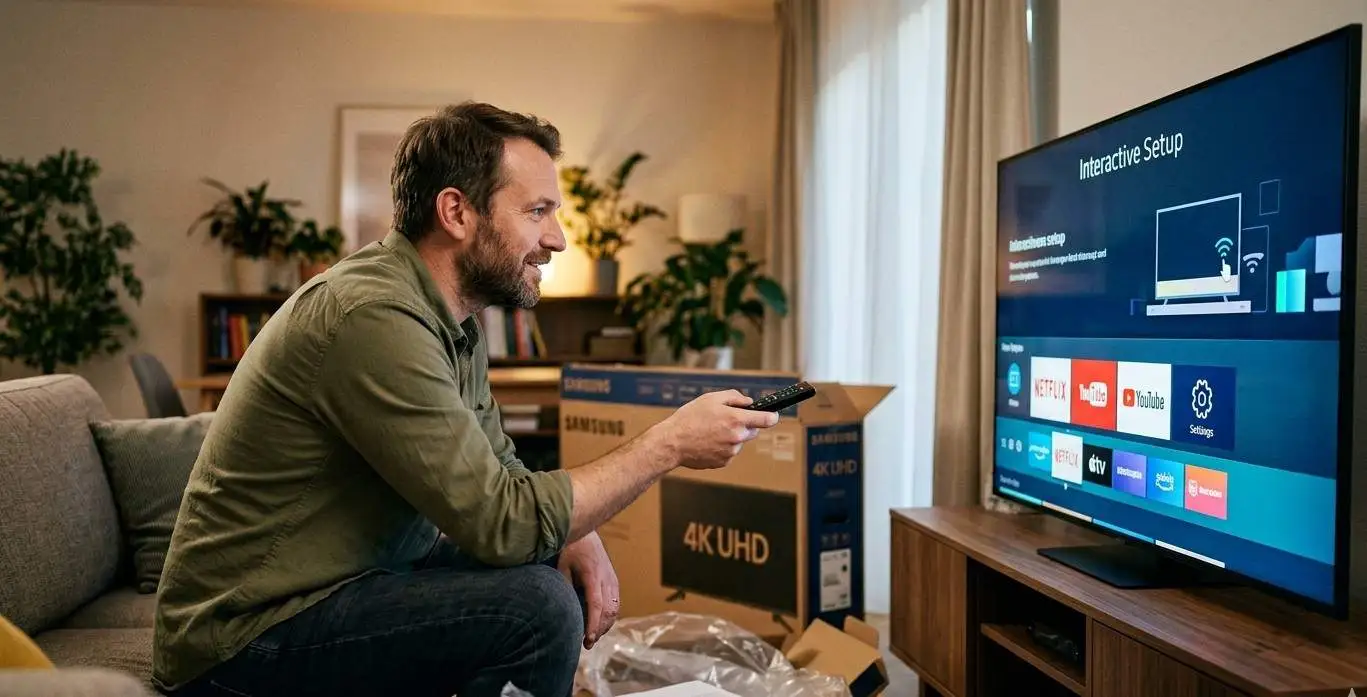
Stage 1 — The Content Headend: Where IPTV Begins
The headend is the central nerve centre of any IPTV operation. It is the facility where the IPTV provider receives all the content they will distribute to subscribers. Understanding the headend helps explain why different IPTV services have vastly different quality levels — the infrastructure at this stage sets the ceiling for everything downstream.
What a Headend Receives
A professional IPTV headend receives content from multiple sources simultaneously:
- Satellite feeds: A bank of satellite dishes and receivers collects live broadcast channels from geostationary satellites. This is how most live TV channels (news, sports, entertainment) are received at the headend — the same satellite signals that a direct-to-home satellite subscriber would receive, but captured at the professional headend level.
- Fiber optic feeds: Major TV networks and broadcasters also deliver their signals via dedicated fiber connections directly to the headend — particularly for major events like NHL playoffs or national news broadcasts where maximum reliability is needed.
- IP feeds: Some channels are delivered directly as existing IP streams, particularly newer digital-first channels and international services that already operate as web streams.
- Content libraries: Movies, TV series, and other on-demand content are ingested from licensed content distributors in standard file formats (MP4, MKV, etc.) and stored on high-capacity content servers for VOD delivery.
Signal Processing at the Headend
Once received, signals go through several processing steps:
- Decryption: Satellite and cable signals often arrive encrypted. The headend uses professional conditional access systems (CAS) to decrypt licensed content.
- Demultiplexing: Broadcast signals are multiplexed (multiple channels packed together in a single transmission). The headend's demultiplexers separate individual channels from the combined signal.
- Transcoding: Signals may be transcoded from one format (e.g., MPEG-2 from older satellite feeds) to a more efficient modern format (H.264 or H.265) before distribution.
- Quality Control: Professional headends monitor stream quality in real time, detecting issues like signal loss, audio sync errors, or transmission artifacts.
- EPG Data Integration: Electronic Programme Guide (EPG) data — the TV schedule information — is aggregated from broadcasters and attached to each channel's stream metadata.
Server Infrastructure and Redundancy
The quality and reliability of an IPTV service depends heavily on its headend infrastructure. A professional IPTV service will have:
- Redundant server hardware (multiple servers so one failure does not take down the service)
- Redundant internet uplinks (multiple ISP connections for fault tolerance)
- UPS (Uninterruptible Power Supply) and backup power generation
- 24/7 monitoring systems with automated failover
- Load balancing across multiple server clusters
This is why a cheap IPTV service with minimal infrastructure may work fine when few people are watching but becomes unreliable during peak hours (evenings, weekends, major sports events) — their headend and server infrastructure simply cannot handle the concurrent stream load.
Stage 2 — Encoding & Compression: The Codec Engine
Raw broadcast-quality video is enormous. An uncompressed 4K video signal at 60 frames per second can require 300–600 Mbps of bandwidth. Obviously, this cannot be transmitted over a home internet connection at scale. The solution is video compression — and the codec used is one of the most important technical factors determining IPTV stream quality.
What Is a Video Codec?
A codec (coder-decoder) is an algorithm that compresses video data for transmission and decompresses it at the receiving end for playback. Modern video codecs use mathematically sophisticated methods — analysing motion between frames, discarding information the human eye can't perceive, and encoding data spatially and temporally — to achieve massive size reductions with minimal perceptible quality loss.
Typical bitrate: 5–15 Mbps for 1080p
Typical bitrate: 15–25 Mbps for 4K
Growing IPTV adoption in 2026
How Video Compression Works
Modern video codecs use a combination of techniques to achieve their remarkable compression ratios:
Intra-frame Compression (Spatial)
Within a single video frame, large areas of similar colour (a blue sky, a green pitch) are encoded as a single data block rather than pixel-by-pixel. This is similar to how JPEG compresses still images — storing "blue from x,y to x2,y2" rather than individually storing every blue pixel.
Inter-frame Compression (Temporal)
Between consecutive frames in a video, most of the image doesn't change. A talking head on a news broadcast has a stationary background — only the mouth and eyes change frame to frame. Inter-frame compression stores only the differences between frames rather than complete images every time. The codec uses I-frames (full reference frames), P-frames (predicted frames based on the previous frame), and B-frames (bidirectionally predicted frames) to achieve dramatic size reductions on video with significant static content.
Motion Estimation and Compensation
For moving objects in video — a player running across a football pitch, a car chase — the codec tracks the motion mathematically and encodes it as movement vectors rather than redrawing the object from scratch each frame. This is computationally intensive but extremely space-efficient.
Adaptive Bitrate Streaming (ABR)
One of the most important features of modern IPTV encoding is Adaptive Bitrate Streaming (ABR). The IPTV server encodes each channel or video at multiple quality levels simultaneously — for example, 4K at 20 Mbps, 1080p at 8 Mbps, 720p at 4 Mbps, and 480p at 2 Mbps. The IPTV player on your device monitors your available bandwidth in real time and automatically switches between quality levels. If your internet connection momentarily dips, the player steps down to a lower quality level to prevent buffering. When bandwidth recovers, it steps back up. This is why IPTV using HLS or MPEG-DASH protocols rarely shows a spinning buffer icon on quality setups — it adapts in real time instead.
Stage 3 — Streaming Protocols & Packaging
Once video is encoded, it must be packaged into a streaming protocol before being transmitted. The protocol determines how the stream is segmented, indexed, encrypted, and delivered — and it has significant practical implications for latency, compatibility, and quality.
Segments video into 2–10 second chunks delivered over standard HTTP. Supports ABR and is compatible with virtually every device. The most widely used IPTV protocol. Best for reliability and compatibility. Slight latency (10–30 seconds behind live).
The open-standard equivalent of HLS. Protocol-agnostic and highly flexible. Used by YouTube and Netflix. Growing IPTV adoption. Supports ABR with finer granularity than basic HLS. Good for large-scale VOD delivery.
One of the oldest streaming protocols. Designed for ultra-low latency with near-real-time delivery. Used in early IPTV systems and MAG boxes. Less CDN-friendly than HLS/DASH. Best for controlled managed-network IPTV.
Originally developed by Macromedia/Adobe for Flash. Still used for encoder-to-server ingest. Very low latency. Not natively supported by modern browsers. Used in the IPTV backend stack even though end-users rarely see it directly.
Modern open-source protocol designed for low-latency streaming over unreliable connections. Excellent error correction. Growing adoption in professional IPTV headend infrastructure for contribution feeds. Future-oriented.
An extension of HLS that reduces live streaming latency from 10–30 seconds to under 3 seconds, bringing it close to traditional broadcast latency. Increasingly adopted by IPTV services for live sports delivery in 2026.
M3U Playlists and Xtream Codes — The End-User Interface
While the protocols above operate at the infrastructure level, end-users interact with IPTV through two primary formats:
M3U Playlists
An M3U file (or M3U8 for UTF-8 encoded) is a plain text file that serves as a directory of all your IPTV streams. Each channel entry contains metadata (channel name, group, logo URL) and the stream URL pointing to the actual video feed. When you load an M3U URL into IPTV Smarters Pro, the app downloads this text file, parses it, builds your channel list, and connects to the stream URL when you select a channel. M3U files can contain tens of thousands of channels and VOD entries.
Xtream Codes API
The Xtream Codes API is a standardized backend system for IPTV panels that allows apps to authenticate (via username, password, and server URL) and dynamically retrieve the channel list, stream URLs, EPG data, and VOD library from the server. Unlike a static M3U file, the Xtream Codes API is dynamic — stream URLs are generated on-demand, making them harder to extract and share, and channel lists update automatically without needing to re-enter a new M3U URL. Most modern IPTV services offer Xtream Codes login, which is why IPTV Smarters Pro always asks for a server URL, username, and password.
Stage 4 — The Content Delivery Network (CDN)
The Content Delivery Network is the infrastructure layer that makes global IPTV delivery at scale possible. Without a CDN, an IPTV server in one location would need to simultaneously handle thousands of direct connections from subscribers around the world — causing massive latency and server overload.
How a CDN Works for IPTV
A CDN is a distributed network of servers placed in data centres around the world — called Points of Presence (PoPs) or edge nodes. When you request an IPTV stream, your request is automatically routed to the nearest CDN edge node rather than the origin server. For a Canadian viewer in Toronto, this might mean your stream is served from a CDN node in Toronto or Montreal — even if the IPTV provider's origin server is in Europe.
The CDN edge node either serves a cached copy of the stream (for live channels, this is a short buffer of the last few seconds) or fetches it from the origin server and forwards it to you. Either way, the physical distance your video data must travel is dramatically reduced, resulting in:
- Lower latency (the delay between the real-world event and your screen)
- Less packet loss (fewer hops across the internet means fewer opportunities for errors)
- Better throughput (local CDN connections are faster than long-haul internet routes)
- Reduced origin server load (the CDN absorbs most of the traffic)
CDN Quality and IPTV Service Quality
This is a key reason why IPTV service quality varies so dramatically between providers. A premium IPTV service invests in tier-1 CDN infrastructure with nodes specifically optimized for Canadian viewers. A budget service might run streams directly from a single server, resulting in poor performance for viewers geographically distant from that server — particularly during high-traffic events like NHL playoff games.
Stage 5 — Your Home Network & Internet Connection
The final mile of the IPTV delivery chain — your home network — is often the limiting factor in streaming quality, even with an excellent IPTV service and fast internet plan. Understanding your home network is essential for diagnosing and fixing IPTV issues.
The Critical Path: Modem → Router → Device
Your internet signal enters your home through your modem (from Bell, Rogers, Telus, etc.), is distributed by your router, and reaches your IPTV device via either Ethernet cable or Wi-Fi. Each stage introduces potential bottlenecks:
Modem/Router Combination Units
Many Canadian ISPs provide a combination modem/router. These work adequately for most IPTV use cases but are often the source of issues on busy networks. If multiple people in your home are streaming, gaming, and video-calling simultaneously, a basic ISP-provided router may struggle with the combined load. A quality third-party router (ASUS, TP-Link, Netgear) with QoS (Quality of Service) settings can prioritize IPTV traffic.
Wi-Fi vs Ethernet for IPTV
This is the single most impactful hardware decision for IPTV quality. Wi-Fi introduces variable latency, interference, and bandwidth fluctuations that can cause buffering even on a fast internet plan. A wired Ethernet connection eliminates virtually all of this variability.
| Factor | Ethernet (Wired) | Wi-Fi 5 (802.11ac) | Wi-Fi 6 (802.11ax) |
|---|---|---|---|
| Latency | 1–2ms | 5–50ms (variable) | 2–15ms (variable) |
| Bandwidth Stability | Extremely consistent | Variable — drops on interference | More stable than Wi-Fi 5 |
| Interference Risk | None | High (neighbours, walls) | Medium (better management) |
| 4K IPTV Suitability | Excellent | Good (5GHz, close to router) | Very Good |
| Recommendation | ✅ First choice | ⚠️ Use 5GHz band only | ✅ Good if wired not possible |
💡 The Single Best IPTV Upgrade: Use a Wired Connection
If your IPTV device is near your router, run an Ethernet cable. If it's across the room, use a powerline adapter kit (plugs into wall outlets and sends internet signal through your home's electrical wiring) or a quality MoCA adapter (uses coaxial cable already in your walls). Either option provides a much more stable connection than Wi-Fi for 4K IPTV streams.
Stage 6 — Decoding & Playback: Your Device's Role
The final stage is where all the preceding work becomes a picture on your screen. Your IPTV player app or set-top box must receive the incoming data packets, reassemble them, pass them through a video decoder, and render the output — all in real time without interruption.
Software vs Hardware Decoding
Video decoding can be handled in two ways, and the difference matters significantly for IPTV performance:
Software Decoding
The device's main CPU handles all video decompression calculations. This is flexible and highly compatible — virtually every codec can be software-decoded on any processor. However, it is computationally intensive. For 4K H.265 streams, software decoding on a slow device can consume 100% of CPU capacity, causing stuttering, dropped frames, and overheating. An older smartphone or a low-end Android box attempting to software-decode a 4K HEVC stream will perform poorly.
Hardware Decoding
Modern devices include dedicated hardware video decoders (Video Processing Units — VPUs) that are purpose-built to decompress specific codecs. Decoding H.265 4K in hardware uses a fraction of the power and CPU of software decoding, enabling smooth 4K playback on modest hardware. The Amazon Fire Stick 4K, Nvidia Shield, and quality Android TV boxes all include hardware H.265/HEVC decoders. When setting up IPTV Smarters Pro, always enable hardware decoding in the app settings for 4K channels.
The Render Pipeline
After decoding, the video frames go through a final render pipeline:
- Colour conversion: Video is typically in YCbCr colour space; it must be converted to RGB for display output.
- Scaling: If the stream resolution differs from your display resolution (e.g., 1080p stream on a 4K TV), scaling algorithms upscale or downscale the image.
- HDR tone mapping: For HDR10 or Dolby Vision content, the device applies tone mapping to correctly display the extended dynamic range on your specific screen.
- Audio decoding: The audio track (AAC, AC3/Dolby, EAC3, DTS) is decoded simultaneously and output to your TV speakers or AV receiver.
How Live IPTV vs VOD vs Catch-Up TV Work Differently
The three main types of IPTV content — live TV, video on demand, and catch-up TV — use the same underlying infrastructure but work in meaningfully different ways at the protocol and server level.
Live IPTV Channels
Live TV is the most technically demanding IPTV type. A live stream is being generated in real time at the headend — there is no pre-existing file to serve. The headend encodes the incoming broadcast signal on the fly and pushes it to the CDN continuously. When you tune to a live channel, your IPTV app connects to the live stream already in progress and begins buffering a small window (typically 2–8 seconds) before playback begins. This buffer absorbs minor network fluctuations without causing visible pauses.
Live IPTV has two key characteristics that distinguish it from VOD:
- Latency: There is an inherent delay between the real-world event and what you see on screen. HLS-based IPTV typically has 10–30 seconds of latency. Low-Latency HLS (LL-HLS) reduces this to 2–5 seconds. Managed IPTV networks (Bell Fibe, TELUS Optik) can achieve near-broadcast latency of 1–3 seconds. This matters for live sports if you're comparing scores with someone watching broadcast TV.
- No seeking: You cannot rewind or fast-forward live TV (unless the service implements a catch-up or DVR buffer feature on top of the live stream).
Video on Demand (VOD)
VOD content (movies, TV series episodes) is stored as complete encoded video files on the IPTV provider's servers. When you select a movie, your IPTV app sends an HTTP request to the server, which begins streaming the file from the beginning (or from a position if you're resuming). VOD uses standard HTTP file delivery with ABR, so you can seek (jump forward or backward in the timeline), pause, and resume. The server simply adjusts which part of the file it is streaming based on your seek position. VOD has no inherent latency concern — it is pre-recorded content.
Catch-Up TV (Time-Shifted IPTV)
Catch-up TV is technically the most elegant of the three. The IPTV provider continuously records their live channels to storage — maintaining a rolling 7-day (or longer) archive. When you request catch-up content, your app requests a specific time window from a specific channel, and the server streams that recorded segment on-demand using the same ABR HTTP delivery used for VOD. From your perspective, catch-up TV feels identical to VOD — you can seek within the programme, pause, and resume — but under the hood it is pulling from a time-stamped recording of a live stream.
Unicast vs Multicast — How IPTV Manages Traffic at Scale
One of the key technical concepts in IPTV networking is the difference between unicast and multicast delivery. Understanding this helps explain why managed IPTV (Bell Fibe, TELUS Optik) can be more network-efficient than public internet IPTV, and why your home network configuration matters.
Unicast IPTV
In unicast delivery, the server sends a separate, dedicated stream to each individual viewer. If 1,000 people are watching the same live channel simultaneously, the server sends 1,000 identical streams — one per viewer. Each stream consumes its own bandwidth slice on the network. This is how virtually all public internet IPTV works, because the public internet's routing architecture does not natively support multicast.
Unicast is inherently flexible — every viewer can be watching something different, seeking to different points, at different qualities. It is the natural model for VOD and personalized content. Its limitation is bandwidth scalability: serving 100,000 simultaneous viewers of the same live channel requires 100,000x the bandwidth of serving one.
Multicast IPTV
In multicast delivery, the server sends a single stream that multiple viewers on the same network segment simultaneously receive. Instead of 1,000 separate streams for 1,000 viewers of the same channel, there is one stream that the network replicates at the local level. This is dramatically more bandwidth-efficient for popular live channels.
Multicast requires special network infrastructure — specifically, routers and switches that support IGMP (Internet Group Management Protocol) to manage group memberships and replicate multicast streams. This infrastructure exists in the private managed networks of ISP-operated IPTV services like Bell Fibe and TELUS Optik, which is why their live TV delivery is so efficient even when many subscribers in the same neighbourhood are watching the same channel simultaneously.
The public internet does not support multicast at scale, which is why third-party IPTV services universally use unicast — and why their server infrastructure must be robust enough to handle per-viewer streams at peak load.
IPTV Player Apps — How IPTV Smarters Pro Works Under the Hood
IPTV Smarters Pro is one of the most widely used IPTV player apps in Canada and globally. Understanding how it works helps you configure it correctly and troubleshoot issues when they arise.
The App's Core Functions
IPTV Smarters Pro is essentially three components bundled together:
- A playlist manager: It connects to your IPTV provider's server (via Xtream Codes API or M3U URL), downloads your channel list, VOD catalogue, and EPG data, and builds the user interface you see.
- A network request engine: When you select a channel or press play on a movie, it formulates the correct HTTP request to your provider's CDN/stream server and handles authentication, redirects, and session management.
- A video player: It passes the stream URL to a built-in or external video player (it can use its internal player or pass to VLC, MX Player, etc.) that handles the actual decoding and rendering pipeline described earlier.
The Xtream Codes Login Flow
When you log in to IPTV Smarters Pro with Xtream Codes credentials (server URL, username, password), here is what happens technically:
- The app sends an HTTP GET request to your server URL with your username and password as parameters — e.g.,
http://yourserver.com:port/player_api.php?username=X&password=Y&action=get_live_streams - The IPTV server validates your credentials against its subscriber database and checks your subscription status.
- The server responds with a JSON object containing all your channel URLs, EPG references, VOD entries, and account information.
- Smarters Pro parses this JSON, builds your channel groups and lists, and displays them in the UI.
- When you tap a channel, the app makes another request for the specific stream URL (with an authentication token) and passes it to the video player.
How EPG Works in IPTV Apps
The Electronic Programme Guide (TV schedule) in IPTV apps is loaded from a separate EPG data source — typically an XMLTV-format file hosted on the IPTV provider's server or a third-party EPG aggregator. The XMLTV file contains programme titles, descriptions, start/end times, and category metadata for all channels, mapped to channel IDs that match your M3U/Xtream channel list. Smarters Pro and other apps download this file (which can be tens of megabytes for a full 7-day guide), parse it, and display the schedule overlay when you view a channel's information or switch to the EPG grid view.
IPTV With a Box — How Set-Top Boxes Fit Into the Pipeline
While IPTV apps can run on smartphones, tablets, Smart TVs, and computers, many Canadians prefer using a dedicated IPTV box — a small device connected to their main TV that is purpose-built (or optimized) for IPTV streaming. Understanding where the IPTV box fits in the technical pipeline helps in choosing the right one.
Android TV Boxes
An Android TV box (Formuler, BuzzTV, Mecool, Nvidia Shield) is essentially a compact Android computer that runs the full Android operating system. It connects to your TV via HDMI and to your internet via Ethernet or Wi-Fi. The box runs the same IPTV Smarters Pro (or TiviMate, GSE, etc.) apps as your phone, but on dedicated hardware optimized for living room TV use. The key hardware advantages over a cheap phone or tablet include:
- A dedicated video processor capable of hardware-decoding H.265 4K streams
- A Gigabit Ethernet port for wired connection directly to your router
- Sufficient RAM (2–4GB) and processor (Amlogic S905X4 or similar) to handle simultaneous app processing and 4K video decoding without lag
- HDMI 2.0/2.1 output supporting 4K @ 60fps, HDR10, and Dolby Vision passthrough
- A remote control optimized for 10-foot TV-viewing UX (unlike touchscreens designed for handheld use)
Amazon Fire Stick — IPTV Pipeline on Fire OS
The Amazon Fire Stick (particularly the 4K Max) runs Fire OS — Amazon's Android-based operating system. The technical pipeline is identical to an Android box. IPTV Smarters Pro can be installed from the Amazon Appstore or sideloaded via Downloader. The Fire Stick 4K Max adds Wi-Fi 6 support and a more powerful processor than earlier models, making it the recommended Fire Stick for 4K IPTV.
MAG Boxes — Stalker Middleware Protocol
MAG set-top boxes (by Infomir) operate differently from Android boxes. They run a lightweight Linux OS with an embedded browser that interfaces with IPTV services via the Stalker Middleware protocol. Instead of installing an app, you enter a portal URL on the MAG box, and it loads the IPTV service's interface in the embedded browser. The Stalker protocol handles authentication, channel lists, and stream delivery differently from the Xtream Codes API used by Smarters Pro. MAG boxes are extremely stable and purpose-built for IPTV but are less flexible than Android boxes for multi-app use.
Internet Speed & IPTV — What You Actually Need
Internet speed is the most common concern for new IPTV users. The good news for Canadians in 2026 is that most home broadband plans — even basic fiber or cable tiers — are more than adequate for IPTV, as long as the connection is stable.
Minimum Speed Requirements Per Stream
Speed vs Stability — Which Matters More?
Stability is more important than raw speed for IPTV. Here's why: IPTV streams are delivered in real time. If your connection drops even for 1–2 seconds, the IPTV buffer (typically 2–8 seconds) may empty, causing the visible buffering/loading indicator. A 15 Mbps connection that maintains a consistent 15 Mbps with no drops will stream 1080p IPTV perfectly. A 100 Mbps connection that frequently dips to 5 Mbps will buffer constantly on the same channels.
This is why wired Ethernet connections so dramatically improve IPTV performance — they eliminate the variability of Wi-Fi, not just its average speed. It is also why ISP throttling of streaming traffic (some Canadian ISPs do throttle high-bandwidth streaming during peak hours) can cause IPTV issues even on fast plans.
Test Your IPTV-Relevant Speed: A standard speed test measures peak bandwidth but not the stability relevant to IPTV. For IPTV diagnostics, use a tool that measures latency jitter and packet loss, not just download speed. High jitter (variable latency) and any packet loss are far more harmful to IPTV quality than moderately lower bandwidth.
Why IPTV Buffers & How to Fix It — A Technical Breakdown
Buffering is the most common IPTV complaint, and understanding its causes at a technical level is the fastest path to solving it.
What Actually Causes IPTV Buffering?
Insufficient Bandwidth
The stream's bitrate exceeds your available bandwidth. The buffer empties faster than it fills. Fix: upgrade your internet plan, or reduce stream quality (switch from 4K to 1080p).
Wi-Fi Instability
Wi-Fi interference causes momentary drops in throughput that drain the buffer. Fix: switch to wired Ethernet, move closer to the router, or switch to 5GHz Wi-Fi band.
ISP Throttling
Some ISPs throttle streaming traffic during peak hours. Fix: use a VPN to bypass throttling detection, or contact your ISP. Throttling often affects specific ports or protocols.
Overloaded IPTV Server
The IPTV service's server is congested (common during major sports events). Fix: try an alternate stream quality option, contact your provider, or wait for off-peak hours.
Software Decoding Overload
Your device's CPU is struggling to decode a high-bitrate stream in software. Fix: enable hardware decoding in your IPTV app settings, or upgrade to a device with a dedicated H.265 decoder.
Geographic CDN Distance
The nearest CDN node for your IPTV service is far away, increasing packet round-trip time. Fix: choose an IPTV provider with CDN infrastructure close to Canada — North American servers are essential for Canadian viewers.
How 4K IPTV Works in Canada
4K Ultra HD IPTV is now mainstream in Canada, and understanding how it works helps explain both its advantages and its requirements.
What Makes 4K IPTV Different
A 4K (3840 × 2160 pixel) video stream contains four times as many pixels as a 1080p Full HD stream. Raw, uncompressed 4K at 60fps generates approximately 300–600 Mbps of video data. H.265/HEVC compression reduces this to a manageable 15–25 Mbps for standard 4K, or 30–40 Mbps for 4K HDR with high-bitrate encoding. This is why H.265 is the essential codec for 4K IPTV — H.264 4K streams would require 50–80 Mbps, making them impractical for home internet delivery.
4K IPTV Requirements Checklist
- Internet speed: At minimum 25 Mbps stable for a single 4K stream; 40+ Mbps recommended for 4K HDR
- 4K IPTV subscription: Your IPTV service must offer 4K streams — not all channels are available in 4K
- 4K-capable device: Your IPTV box, Fire Stick, or Smart TV must support 4K output and H.265 hardware decoding
- 4K TV with HDMI 2.0+: Your television must support 4K input via HDMI 2.0 or 2.1
- HDMI 2.0/2.1 cable: For HDR10 and Dolby Vision passthrough, use a certified HDMI 2.0 or 2.1 cable
- Wired Ethernet: Strongly recommended for 4K — Wi-Fi introduces enough variability to cause buffering on 30+ Mbps streams
HDR, Dolby Vision, and IPTV
Many 4K IPTV channels also include HDR (High Dynamic Range) metadata — either HDR10 (open standard) or Dolby Vision (licensed, layer-based). HDR dramatically increases apparent contrast and colour vibrancy on compatible displays. For IPTV to pass HDR correctly to your TV, your entire chain must be HDR-compatible: the IPTV box must output HDR metadata, the HDMI cable must support it, and your TV must have an HDR-compatible panel. When correctly configured, 4K HDR IPTV delivers picture quality that cable TV has not historically been able to match.
Frequently Asked Questions — How IPTV Works
Ready to Experience IPTV Yourself?
IPTV Canada 4K puts all this technology to work for you — 20,000+ channels, 4K quality, Canadian content, EPG guide, and a free trial. No technical expertise required.
Start Your Free Trial →Conclusion — IPTV Technology From Signal to Screen
IPTV is a sophisticated technology, but its core logic is elegant: instead of building dedicated broadcast infrastructure to push content to everyone simultaneously, it leverages the internet to deliver exactly what you want, when you want it, to any screen you own.
The six-stage pipeline — from content acquisition at the headend, through encoding and protocol packaging, across the CDN, over your home network, and finally decoded on your device — is optimized at every step to deliver live TV, movies, and catch-up content with minimal latency and maximum quality. Modern codecs like H.265/HEVC make 4K streaming practical over standard broadband. CDNs eliminate distance as a quality barrier. Adaptive bitrate streaming prevents buffering in real time. Hardware decoders in modern IPTV boxes handle 4K effortlessly.
The practical takeaways for getting the most from IPTV are clear: use a wired Ethernet connection wherever possible, choose an IPTV service with solid CDN infrastructure close to Canada, ensure your device supports hardware H.265 decoding for 4K, and enable the right settings in your IPTV player app. With these in place, IPTV delivers a television experience that cable and satellite struggle to match — more content, higher quality, greater flexibility, and dramatically lower cost.
To go deeper, read our companion articles: What is IPTV? covers the full landscape of IPTV types, services, and devices, and Is IPTV Illegal in Canada? answers the legal questions every Canadian IPTV user should know. When you're ready to try it, IPTV Canada 4K offers a free trial — no technical setup required.